


Phone Signal, Wi-Fi and Charging Devices on Safari
SEO title: Phone Signal, Wi-Fi and Charging on Tanzania Safari
Plan around your priorities02
Understand real logistics03
Compare options clearly04
Travel with confidence
You can stay connected during much of a Tanzania safari, but you should not expect continuous city-level service. Signal can be strong in Arusha, Moshi, Karatu, Dar es Salaam and established parts of Zanzibar, then disappear between hills, inside a crater, across a remote plain or at a mobile camp.
The same is true of electricity. Many lodges provide reliable sockets, while smaller bush camps may use solar batteries or generators and offer charging only at certain times or in a central area. A safari vehicle can help keep a phone or camera charged, but it should not be the only part of your power plan.
The best preparation is layered:
1
Set up international roaming or an eSIM before departure if you want immediate arrival data.
2
Consider a registered Tanzanian SIM for longer journeys or local calls.
3
Treat lodge Wi-Fi as useful but not guaranteed.
4
Carry the correct adapter, cables and a permitted power bank.
5
Download essential information for offline use.
6
Give family or colleagues realistic expectations about when you will reply.
This guide explains how connectivity changes across a safari, what equipment to pack and how Tanzania Inside Safari helps travellers stay powered without letting technology control the journey.
Safari Connectivity at a Glance
| Need | Most reliable approach | Important limitation |
|---|---|---|
| Contact immediately after landing | Roaming or a travel eSIM activated before departure | Your device and plan must support the service |
| Local data during a longer trip | Registered Tanzanian SIM or eSIM from an authorised provider | Passport registration is required and coverage varies |
| Messaging family | WhatsApp or another internet-based service | Messages may remain pending until signal returns |
| Video calls or remote work | Schedule them in Arusha, Moshi, Dar es Salaam or a confirmed connected hotel | Safari-camp bandwidth may not support calls reliably |
| Lodge internet | Wi-Fi in the room or common area where offered | It may be limited by satellite capacity, weather or power hours |
| Charging a phone | Lodge socket plus vehicle charging and power-bank backup | Outlets, connector types and charging speed vary |
| Charging camera batteries | Lodge charging station or room socket where permitted | Do not rely on one charger, one cable or one battery |
| Emergency communication | Tell the guide or camp manager immediately | A personal phone is not the primary emergency system in remote areas |
The Honest Answer: Will You Have Phone Signal on Safari?
Sometimes yes, sometimes no.
Tanzania has broad national mobile coverage, but population coverage is not the same as continuous geographical coverage. National parks contain mountains, valleys, forests and enormous open areas with few settlements. A network that works at a lodge may disappear ten kilometres away.
Signal also changes with:
- The mobile network your phone is using
- Distance from a tower
- Terrain and vegetation
- Weather and power conditions
- The number of people using the same connection
- Whether your phone supports the local frequency bands
- Whether your international provider has a working roaming agreement
Do not choose an operator only because a general coverage map colours an entire region. Ask about the actual camps and routes in your confirmed itinerary.
What to Expect by Safari Setting
Airports, Arusha, Moshi and Major Towns
Kilimanjaro International Airport, Arusha, Moshi, Dar es Salaam and other urban centres generally offer the easiest access to mobile data, SIM registration and hotel Wi-Fi. This is the right time to:
- Activate or test a SIM
- Download offline maps and documents
- Complete large cloud backups
- Make business calls
- Update family
- Resolve banking verification or account access
If connectivity is important, schedule a buffer night before the safari rather than trying to solve everything while the vehicle is leaving for the park.
Tarangire, Lake Manyara and the Ngorongoro Highlands
Coverage may be available around some gates, lodges and higher ground, but it is not continuous. A phone that works near Karatu may lose data on the crater floor or in a low-lying park area.
Lodges may provide Wi-Fi even when normal mobile reception is weak. The connection may be available only around reception, the lounge or the dining area.
The Serengeti
The Serengeti is vast. Coverage near one airstrip or permanent lodge says little about another part of the ecosystem. Central areas may have more opportunities to connect than remote northern, western or southern sectors, but no region should be sold as continuously connected.
Mobile migration camps may use satellite internet, mobile routers or a combination of systems. Bandwidth can be shared by guests and operations. Text messages and email may work while large uploads, streaming and video meetings do not.
Southern and Western Tanzania
Nyerere, Ruaha, Katavi, Mahale and Gombe include remote areas where signal and lodge internet can be much more limited. Boat transfers, forested mountains and long distances from towns create additional constraints.
On a specialist journey such as Mahale chimpanzee trekking , plan as though you may be offline for extended periods. Any available connection should be treated as a benefit rather than a guarantee.
Zanzibar
Stone Town and established beach areas generally provide stronger mobile and hotel connectivity than remote safari camps. Smaller islands, boat trips and less-developed coastal areas can still have weak or fluctuating service.
A combined safari and Zanzibar holiday gives travellers a good opportunity to complete large uploads or work tasks after the safari, provided the selected beach hotel confirms suitable service.
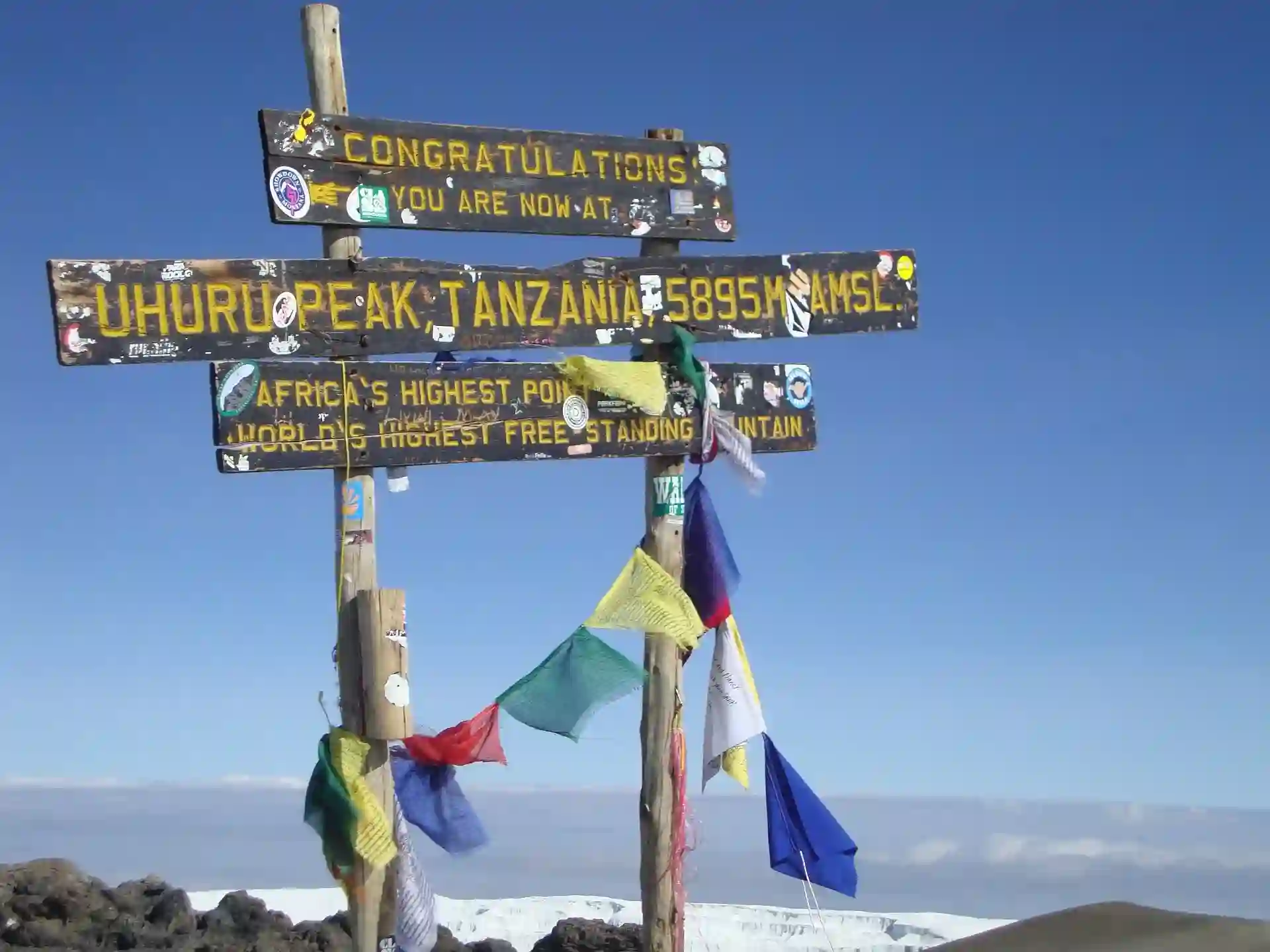
Kilimanjaro
Phone signal can appear at certain camps, ridges or exposed points and vanish again as the trail enters forest, valleys or the upper mountain. Weather and battery temperature also affect performance.
Do not depend on a personal phone for mountain safety. Guides use their operational communication procedures and make decisions according to the situation. Keep the phone in airplane mode when not needed to preserve power.
Explore our Kilimanjaro routes and planning information before combining a climb with a safari.
Roaming, Travel eSIM, Local SIM or Wi-Fi Only?
| Option | Best for | Advantages | Limitations |
|---|---|---|---|
| International roaming | Short trips and immediate arrival access | Keeps your normal number and requires little setup | Data can be expensive and partner coverage varies |
| Travel eSIM | Travellers with compatible unlocked phones | Can be installed before arrival and switched on quickly | Often data-only and still depends on a local partner network |
| Tanzanian SIM or eSIM | Longer trips and local communication | Local data packages and a Tanzanian number | Registration, setup time and network choice are required |
| Lodge Wi-Fi only | Travellers who prefer to disconnect | No additional SIM setup | Availability and speed depend on every property |
Many travellers use two options: an eSIM or roaming for arrival and a local SIM only if the trip length or work needs justify it.
International Roaming
Roaming is convenient because your home SIM remains active for calls, text messages and banking verification. Before departure, ask your provider:
- Whether Tanzania is included in your plan
- Which local networks are partners
- The daily or monthly charge
- Whether incoming calls cost extra
- Whether data stops after a limit or continues at a high rate
- How to prevent background apps from using data
Turn off automatic photo backup, app updates and video autoplay before landing. A few minutes of background activity can consume an expensive roaming allowance.
Travel eSIMs
A travel eSIM is a digital profile installed on a compatible phone. It can be useful when you want data without removing your physical SIM.
Before buying, confirm:
- Your phone supports eSIM
- The device is network-unlocked
- The plan includes Tanzania
- The local partner network is identified
- The validity begins at purchase, installation or first connection
- Hotspot use is allowed if required
- Voice calls and SMS are included or the plan is data-only
Install the eSIM while you still have reliable internet. Keep the QR code or activation details offline. Do not delete a working eSIM profile during the trip unless the provider specifically instructs you to do so.
An eSIM does not create signal where the partner network has no coverage. It is a convenient access method, not a satellite connection.
Buying a Tanzanian SIM Card
Tanzanian SIM cards must be registered. The Tanzania Communications Regulatory Authority maintains visitor SIM-registration guidance , and mobile operators require identity verification.
Visitors should use an official operator shop or authorised registration agent and carry:
- The original passport
- A valid visa or entry status where required
- The phone that will use the SIM
- An unlocked device
The registration process may include biometric verification. Do not buy an already-activated SIM from an informal seller. A number registered in somebody else's identity creates security and service risks.
Vodacom's SIM-registration information confirms that foreign visitors can register using passport documentation. Other operators have their own approved shops and processes.
Physical SIM or Local eSIM?
Local operators increasingly support eSIM, but registration is still required. For example, Airtel directs customers to a shop for eSIM registration support .
Choose the format your phone supports. The network and data package matter more than whether the profile is physical or digital.
Which Tanzanian Network Is Best?
Tanzania has several mobile operators, and the strongest choice depends on the exact route. One network may work at a Serengeti camp while another performs better in a town or on Zanzibar.
Ask the operator or accommodation team which network currently works at the confirmed properties. Conditions can change as towers, equipment and camps move.
Using WhatsApp and Other Messaging Apps
WhatsApp is widely used for travel communication in Tanzania. It works with roaming, an eSIM, a local SIM or lodge Wi-Fi.
Before travel:
- Save Tanzania Inside Safari's contact details
- Confirm that your account remains active if the physical SIM is changed
- Enable device security and app backup
- Download important conversations or documents
- Tell family that delayed delivery may mean no signal, not an emergency
Use text messages when bandwidth is weak. A short text or compressed photo is more likely to send than a voice note, large album or video call.
What Safari Lodge Wi-Fi Is Really Like
The word Wi-Fi only means a wireless connection exists. It does not describe the speed or the quality of the internet behind it.
Remote camps may connect through:
- A mobile-data router
- A long-range radio link
- Satellite internet
- A combination of systems
The connection may be shared between guests and camp operations. Weather, equipment, power supply and network congestion can affect performance.
Questions to Ask a Lodge
If connectivity materially affects your trip, ask:
1
Is Wi-Fi available in guest rooms or only common areas?
2
Is it available all day or during set hours?
3
Is there a data limit?
4
Are video calls, streaming or cloud backup restricted?
5
Is mobile signal available as an alternative?
6
What happens if the internet system fails?
7
Can essential business communication be scheduled before or after the remote stay?
"Wi-Fi available" is not a promise that a 60-minute video conference will work.
Can You Work Remotely During a Safari?
You can answer messages and complete light tasks when a connection is available. A wildlife safari is not an ideal setting for fixed daily meetings, large file transfers or urgent deadline-dependent work.
Game drives begin early, travel days are long and the best sighting may occur when a meeting was scheduled. Camp bandwidth may also prioritise operational needs.
For travellers who must work:
- Add a connected hotel night in Arusha, Moshi or Zanzibar
- Finish major uploads before entering the parks
- Tell colleagues the dates you may be offline
- Move essential meetings away from transfer and game-drive days
- Keep documents available offline
- Use asynchronous communication
- Create a backup decision-maker at home
Tanzania Inside Safari can design a journey with suitable work buffers through the trip-planning form .
Electricity in Tanzania
Tanzania commonly uses 230-volt, 50-hertz electricity with Type D and Type G sockets. Properties sometimes install universal outlets or USB ports, but travellers should not assume every room has them.
Check the small print on each charger. Most modern phone, tablet, laptop and camera chargers accept 100-240V, 50/60Hz and need only a plug adapter. A device marked for one voltage may require a converter or should be left at home.
Bring a Quality Universal Adapter
A good travel adapter should:
- Fit Type D and Type G sockets
- Hold plugs firmly
- Support the wattage of your devices
- Provide enough USB ports without unsafe stacking
- Come from a reputable manufacturer
An adapter changes the plug shape. It does not necessarily convert voltage.
Avoid cheap loose adapters, damaged cables and overloaded multi-plugs. Remote solar systems have limited capacity, and high-wattage appliances can trip circuits.
Charging in Tanzania Inside Safari Vehicles
Tanzania Inside Safari's customised Land Cruisers carry a charging system for guest devices. This is useful for phones, small cameras and power banks during road safaris.
Vehicle charging is a support system, not a substitute for arriving prepared. Bring:
- The correct cable for every device
- A spare cable for critical equipment
- A 12V USB adapter if advised
- A compact multi-port charger
- A labelled power bank
Charging speed can vary with the vehicle, adapter and number of devices connected. Ask the guide before plugging in high-power equipment.
Learn more about our private vehicles and safari approach on the Tanzania safari experiences page .
Charging at Lodges and Tented Camps
Permanent lodges often provide sockets in the room. Tented and mobile camps may provide:
- Sockets in the guest tent
- USB ports near the bed
- A central charging station
- Power only while the generator runs
- Solar power with limited high-wattage capacity
- Staff-assisted charging for camera batteries
Ask whether charging continues overnight. Some camps switch generators off to preserve quiet and fuel, while solar systems may reserve stored power for lighting and essential operations.
Do not use hair dryers, heating devices or other high-wattage equipment unless the property confirms they are permitted. They can overload a camp's system.
Power Banks and Lithium-Battery Rules
Power banks are valuable on long drives and during power interruptions. Airline safety rules require special handling because they contain lithium batteries.
The International Air Transport Association's passenger guidance states that power banks and spare batteries belong in carry-on baggage, not checked baggage. Battery terminals should be protected against short circuit.
Airlines can apply stricter limits, so check every international and domestic carrier on the itinerary. Pay attention to:
- Watt-hour rating printed on the battery
- Quantity limits
- Approval requirements for larger batteries
- Carry-on baggage weight on bush flights
- Rules against using or charging a power bank during flight
Do not carry a swollen, damaged or unlabelled battery. Keep batteries away from loose keys and metal objects.
If your itinerary includes a bush flight, ask our team about luggage limits and how to pack batteries and camera equipment. You can include these questions when you plan your trip .
A Practical Charging Kit
For most travellers:
| Item | Recommended preparation |
|---|---|
| Phone | Charging cable, spare cable and offline power-saving settings |
| Camera | At least two batteries, dedicated charger and memory cards |
| Power bank | Airline-compliant capacity with visible rating |
| Plug adapter | Type D and G compatible universal adapter |
| Multi-port charger | Reputable compact unit that accepts 100-240V |
| Laptop or tablet | Only if genuinely necessary; confirm charger wattage |
| Headlamp | Useful for camps and power interruptions; carry spare cells |
| Cable pouch | Keep small equipment labelled and protected from dust |
Families should avoid bringing one charger for several devices. Photographers should not depend on a single battery charger that cannot be replaced in the bush.
Camera Batteries and Photo Backup
A photographic safari can produce thousands of images. Connectivity is rarely strong enough to make cloud backup the primary system.
Use a layered workflow:
1
Carry several memory cards rather than one enormous card.
2
Keep used and unused cards in separate labelled cases.
3
Back up to a laptop or portable drive when practical.
4
Keep the backup physically separate from the camera bag.
5
Upload to cloud storage only when bandwidth allows.
6
Never format the original card until at least two verified copies exist.
For serious equipment needs, see our 11-day photographic Tanzania safari .
Protect Devices From Safari Conditions
Dust, heat, vibration and sudden rain cause more problems than a lack of signal.
Protect equipment by:
- Using padded cases
- Keeping ports covered when not in use
- Carrying a dry bag or waterproof liner
- Avoiding direct sun on batteries
- Letting cold equipment warm gradually before opening in humid conditions
- Cleaning lenses with proper tools rather than clothing
- Holding devices securely on rough roads
- Never leaving electronics visible in an unattended vehicle
Do not place a phone or camera on the vehicle roof. Guests sometimes forget equipment there when the vehicle moves.
Digital Security on Safari
Public and lodge networks should be treated cautiously.
Before travel:
- Update the phone and essential apps
- Use a strong device passcode
- Enable multi-factor authentication
- Save backup authentication codes securely
- Activate device-location and remote-wipe features
- Back up important data
- Notify banks if required
During the trip:
- Confirm the correct Wi-Fi name with staff
- Avoid sensitive transactions on unknown networks
- Use a trusted VPN where appropriate and lawful
- Do not accept unexpected file-sharing requests
- Keep Bluetooth and hotspot off when not needed
- Review terminal and website addresses before payment
Download policy certificates, tickets, passports and itineraries for offline access, but protect sensitive copies with device security.
Offline Preparation Before the Safari
Download these before leaving town:
- The complete itinerary
- Accommodation names and telephone numbers
- International and domestic flight tickets
- Insurance certificates and emergency numbers
- Passport and visa copies
- Offline maps
- Airline baggage rules
- Translation and field-guide resources
- Music, books or podcasts
- Banking contact details
Mark the next meeting time and place in writing. If the phone cannot connect, you should still know when breakfast begins and where the vehicle will be waiting.
Communication During an Emergency
In a genuine emergency, tell the guide or camp manager immediately rather than spending time searching for signal. Safari operations may use radio, office coordination, lodge networks and other communication methods that are more reliable than a guest's phone in that location.
Before departure, save:
- Tanzania Inside Safari's emergency contact
- The insurer's 24-hour assistance number
- Your embassy or consular contact
- A trusted family contact
- Bank card emergency numbers
Tell someone at home that periods without communication are normal. Agree on a realistic check-in pattern and a single contact person who can share updates with others.
Families and Children
For a family safari:
- Put identification and emergency contacts in each child's day bag
- Download entertainment before entering the parks
- Carry headphones for transfers, not during wildlife briefings
- Use device time intentionally rather than continuously
- Bring enough charging capacity for shared devices
- Keep cables and batteries away from very young children
A private vehicle makes it easier to manage breaks and family routines. Read our family safari planning guide or explore a 14-day family safari and Zanzibar journey .
Should You Disconnect?
Connectivity is useful for safety, logistics and sharing the journey. Constant connection can also pull attention away from wildlife behaviour, landscapes and conversations with the guide.
Consider a balanced approach:
- Keep the phone ready for photographs and essential messages
- Use airplane mode during game drives
- Choose one daily check-in window
- Delay large social-media uploads until the lodge or town
- Give wildlife sightings your full attention
- Ask before photographing staff or community members
A safari is one of the rare journeys where being temporarily unreachable can improve the experience.
Common Connectivity Mistakes
- Assuming every lodge Wi-Fi connection supports video calls
- Buying an eSIM without checking phone compatibility or unlock status
- Waiting until a remote camp to activate a SIM
- Purchasing an informally registered local SIM
- Depending on one charging cable
- Packing a power bank in checked luggage
- Carrying an unlabelled or damaged lithium battery
- Bringing high-wattage appliances to a solar-powered camp
- Relying on cloud backup for all photographs
- Scheduling important work meetings during game drives
- Telling family that daily calls are guaranteed
- Using an unknown Wi-Fi network for sensitive payments
Questions to Ask Before Booking
1
Which camps have Wi-Fi, and is it available in rooms or common areas?
2
Which locations are likely to have mobile signal?
3
Are any nights expected to be fully offline?
4
What charging sockets and USB ports do the vehicles provide?
5
Do camps provide 24-hour electricity?
6
Are there restrictions on laptops, hair dryers or high-wattage equipment?
7
Can camera batteries be charged at every property?
8
Does the itinerary include strict bush-flight baggage limits?
9
Where can a registered local SIM be purchased?
10
Can a connected hotel night be added before or after the remote safari?
How Tanzania Inside Safari Helps You Stay Connected
Before departure, we can explain:
- Which nights are in towns, lodges or remote camps
- Where mobile signal or Wi-Fi is realistically expected
- Which properties have charging restrictions
- How our safari-vehicle charging system can support devices
- Where to activate a SIM before leaving town
- How bush-flight luggage affects batteries and electronics
- Where to place a work or family communication buffer
We cannot guarantee a third-party mobile network, satellite service or lodge internet connection. What we can do is plan honestly and help you avoid depending on technology that may not work in the bush.
Explore Tanzania Inside Safari and our private wildlife safaris .
Plan a Safari That Fits Your Connectivity Needs
Tell us whether you need occasional family messages, regular business access, camera charging or a true digital detox. We will recommend an itinerary and accommodation style that match those priorities.
Complete the trip-planning form for a personalised proposal.
Prepare for connection, plan for offline moments and let Tanzania remain the main experience.
Start planning with Tanzania Inside Safari
Suggested Image Alt Text
- Traveller charging a phone inside a Tanzania Inside Safari Land Cruiser
Planning note: park conditions, flight schedules, lodge operations, road access and wildlife movement can change. Confirm the final details that apply to your travel dates before booking.