



Charging Phones and Cameras on Kilimanjaro: Power Banks, Batteries and Cold Weather
Learn how to keep phones, cameras and headlamps powered on Kilimanjaro using airline-compliant power banks, spare batteries and cold-weather care.
Kilimanjaro Charging at a Glance
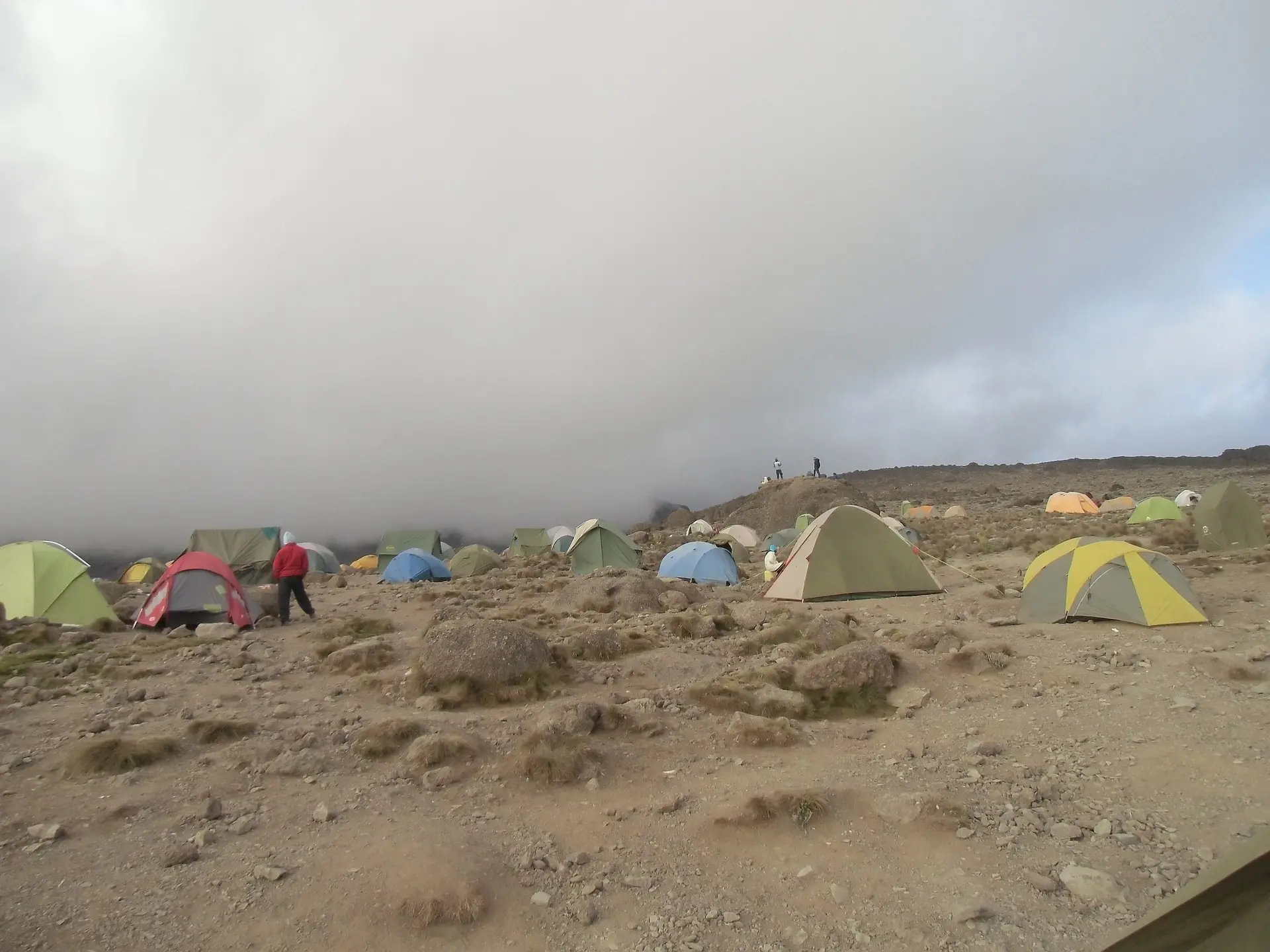
You should plan a Kilimanjaro climb as if there will be no reliable opportunity to recharge from a wall socket after entering the park.
Most tented camps have no mains electricity, and climbers should not assume that the Marangu huts provide dependable public charging. A guide team may carry communication equipment or emergency power for operational use, but that does not mean spare electricity is available for guests’ phones and cameras.
Your personal power plan should therefore last from the park gate until you return. For most travellers, that means a combination of:
- One or two airline-compliant power banks
- Fully charged camera batteries
- Spare batteries for equipment that accepts them
- A reliable headlamp with spare power
- Short, tested charging cables
- Careful use of airplane mode and power-saving settings
- Protection from rain, condensation and extreme cold
Cold weather does not normally destroy a healthy lithium-ion battery, but it temporarily reduces the energy the battery can deliver. A phone or camera that shows very little charge near the summit may appear to recover after it warms. The best strategy is to begin with enough capacity, protect it from the cold and avoid wasting energy.
- Assume there are no reliable charging sockets at camps or huts.
- Charge every device and battery fully at your hotel before departure.
- Keep power banks and spare lithium batteries in cabin baggage when flying.
- Check the watt-hour rating printed on every power bank.
- Current IATA guidance recommends no more than two power banks, each not exceeding 100 Wh; always check your airline’s own rules.
- A 10,000 mAh power bank is usually about 37 Wh, while a 20,000 mAh model is usually about 74 Wh when its cells are rated at 3.7 V.
- Advertised capacity is not the same as usable output because voltage conversion, cables and cold create losses.
- Keep phones, power banks and spare camera batteries warm in an inside pocket or insulated pouch.
- Do not charge a battery while it is extremely cold; warm it gradually first and follow the manufacturer’s instructions.
- Protect ports and cables from rain, dust and condensation.
- Use airplane mode, low-power settings and limited screen time.
- Keep your headlamp independent from your phone and reserve enough power for summit night.
Is There Electricity on Kilimanjaro?
Do not depend on it.
The standard camping routes—including Machame, Lemosho, Northern Circuit, Rongai and Umbwe—use remote mountain camps without normal guest electricity. Marangu uses huts rather than tents, but climbers should still arrive with a complete independent power supply.
Occasionally, a private expedition service or operator may offer solar charging. Its availability, connector type, output and reliability can vary with equipment and weather. Confirm it in writing before travel, and treat it as a bonus rather than your primary plan.
Electricity used for guide communications, safety equipment or camp operations must not be assumed to be available for personal devices.
Charge Before Leaving Moshi or Arusha
The night before the climb:
- Charge every power bank to the level permitted for your next flight arrangements.
- Charge all camera batteries.
- Charge your phone, watch, headlamp and satellite communicator if carried.
- Check that every cable works.
- Confirm that each battery holds charge normally.
- Download offline maps, music, documents and emergency information.
- Install software and firmware updates before the expedition, not at the gate.
- Disable unnecessary automatic downloads and cloud syncing.
If you will fly soon after descending, remember that airline guidance may discourage last-minute power-bank charging immediately before boarding. Review the rules for every airline in your itinerary.
How Much Power Do You Need?
There is no universal answer. Power requirements depend on:
- Route length
- Phone model and battery health
- Amount of photography and video
- Screen brightness and use time
- Mobile-network searching
- GPS tracking
- Cold exposure
- Camera type
- Number of devices sharing the power bank
- Whether your headlamp or watch also uses USB charging
A climber taking a few photographs and keeping the phone in airplane mode needs far less power than someone recording daily 4K video, operating an action camera and tracking the entire route by GPS.
Start With an Energy Budget
List every rechargeable item and estimate how many full or partial recharges it may need.
| Device | Typical use on Kilimanjaro | Planning question |
|---|---|---|
| Smartphone | Photos, notes, music, offline maps and communication at lower elevations | Will it remain in airplane mode most of the day? |
| Mirrorless or DSLR camera | High-quality photographs and video | How many batteries do you normally use during a full cold-weather day? |
| Action camera | Frequent short clips or continuous video | Will batteries be swapped or charged directly in the camera? |
| Headlamp | Early starts, camp movement and summit night | Does it use removable cells or an internal rechargeable battery? |
| GPS watch | Route and activity tracking | Can tracking settings be reduced without losing what you need? |
| Satellite communicator | Safety or messaging where supported | What operating mode and charging schedule does its manual specify? |
Test the full setup during a weekend hike. Measure how much battery remains after a realistic day rather than relying only on manufacturer estimates.
Understanding mAh and Wh
Power banks are marketed in milliamp-hours, written as mAh, but airlines regulate lithium-ion batteries by watt-hours, written as Wh.
The basic calculation is:
Watt-hours = milliamp-hours × battery voltage ÷ 1,000
Most conventional power banks calculate their advertised cell capacity at approximately 3.7 volts, but you must use the voltage printed on the actual product rather than assuming.
Common Examples
| Advertised capacity | Calculation at 3.7 V | Approximate energy |
|---|---|---|
| 5,000 mAh | 5,000 × 3.7 ÷ 1,000 | 18.5 Wh |
| 10,000 mAh | 10,000 × 3.7 ÷ 1,000 | 37 Wh |
| 20,000 mAh | 20,000 × 3.7 ÷ 1,000 | 74 Wh |
| 26,800 mAh | 26,800 × 3.7 ÷ 1,000 | 99.2 Wh |
These are examples, not substitutes for the manufacturer’s label. Some units use a different nominal voltage or state capacity in another way.
Do not travel with a power bank whose watt-hour rating, manufacturer or technical marking cannot be identified. Airline staff may reject a battery with a missing or unreadable label.
Why a 20,000 mAh Power Bank Does Not Deliver 20,000 mAh to Your Phone
The advertised capacity describes the power bank’s internal cells. Energy is lost when voltage is converted, transferred through the cable and converted again inside the device. Cold, battery age, cable quality and charging speed also affect the result.
This means dividing the power bank’s mAh number by the phone battery’s mAh number exaggerates the number of complete charges.
As a practical planning rule, build in a generous reserve. Do not calculate a system that works only if every component performs at its laboratory maximum.
What Size Power Bank Is Best for Kilimanjaro?
For a typical seven- or eight-day climb, many phone-focused travellers choose a high-quality 20,000 mAh unit or two smaller compliant units. The correct answer depends on the personal energy budget and airline limits.
One Larger Power Bank
Potential advantages:
- Fewer cables and items to manage
- Often better capacity-to-weight ratio
- May support faster charging and multiple ports
Potential disadvantages:
- One failure affects the entire power plan
- Heavier to keep warm in a pocket
- Can take a long time to recharge fully before the climb
Two Smaller Power Banks
Potential advantages:
- Redundancy if one fails
- Easier to distribute between protected pockets
- One can be reserved for summit night
Potential disadvantages:
- More items and cables to track
- Combined weight may be higher
- Current airline quantity limits must be checked carefully
Under the IATA passenger guidance published for 2026, passengers should expect a maximum of two lithium-ion power banks not exceeding 100 Wh each. Airlines may impose stricter limits or different handling requirements, so check every carrier before departure.
Airline Rules for Power Banks and Camera Batteries
Lithium-battery rules are safety rules, not ordinary packing preferences. They apply on international and domestic flights, including connections within Tanzania.
According to the IATA guidance for travellers carrying batteries:
- Power banks and spare lithium batteries belong in cabin baggage, not checked luggage.
- Battery terminals must be protected against short circuits.
- Batteries up to 100 Wh are generally accepted in cabin baggage, subject to airline rules.
- Batteries from 100 to 160 Wh may require advance airline approval.
- Batteries above 160 Wh are usually prohibited on passenger aircraft.
- If cabin baggage is taken at the gate and placed in the hold, power banks and spare batteries must be removed first.
IATA’s 2026 passenger lithium-battery guidance also advises that:
- Passengers may be limited to two power banks of no more than 100 Wh each.
- Power banks should not be recharged from an aircraft power supply.
- They should not be stored in overhead lockers.
- They should not power another device during taxi, take-off or landing.
- Individual airlines may be more restrictive.
Rules can change. Check the operating airline—not only the website through which you bought the ticket—shortly before every flight.
How to Pack Batteries for a Flight
- Keep power banks in cabin baggage within reach.
- Place each loose camera battery in its own protective case or pouch.
- Cover exposed terminals with non-conductive tape when appropriate.
- Prevent batteries from touching coins, keys or other metal objects.
- Protect devices from crushing, impact and accidental activation.
- Never travel with a swollen, leaking, recalled or damaged lithium battery.
- Keep the watt-hour label visible.
If a power bank becomes hot, swells, smokes, hisses or develops an unusual smell, move away from flammable material if safe and notify airline, airport or accommodation staff immediately. Do not continue using it.
Why Cold Weather Reduces Battery Life
Lithium-ion batteries rely on chemical reactions. Low temperatures slow those reactions and increase internal resistance, reducing the amount of power available at that moment.
Common cold-weather symptoms include:
- Battery percentage falling unusually fast
- A phone shutting down despite showing remaining charge
- Slower camera operation
- Reduced flash performance
- Charging stopping or refusing to begin
- A battery appearing to recover after warming
Apple states that iPhones and iPads work best in ambient temperatures from 0°C to 35°C (32°F to 95°F) and that very cold conditions can temporarily shorten battery life or cause a device to switch off. See Apple’s battery performance guidance.
Camera manufacturers give similar practical advice. Nikon’s cold-weather photography guidance recommends starting with a fully charged battery because cold reduces performance.
The exact operating range varies by model. Read the manual for every phone, camera, headlamp and power bank you plan to carry.
How to Keep Batteries Warm on Kilimanjaro
Use Inside Pockets
Carry spare camera batteries and a compact power bank in an inside jacket pocket, close enough to benefit from body heat. Keep them in individual protective cases so terminals cannot short-circuit.
Do not place a loose battery directly against damp skin or allow sweat to enter the contacts.
Use an Insulated Pouch
A small padded pouch inside the daypack provides some protection from rapid temperature change. For summit night, an inner clothing pocket is normally warmer than the outside lid of the pack.
Rotate Camera Batteries
If a camera battery appears exhausted in the cold, exchange it for a warm spare. Keep the cold battery protected inside clothing; it may recover part of its apparent charge as it warms.
Do not assume that recovery means the battery is fully charged. Treat it as a reserve and monitor it.
Keep the Phone Off Exposed Straps
A phone mounted on a shoulder strap is convenient but exposed to wind and cold. Take the photograph, then return the phone to a warm, protected pocket.
Protect the Headlamp Battery
Summit night is not the time for an unexpected headlamp failure. Begin with a full charge or fresh compatible cells, carry the manufacturer-recommended spare power and keep the spare warm.
Do not rely on the phone torch as the primary light. It drains the same battery you may need for communication and photography, and holding a phone makes trekking-pole use more difficult.
Can You Charge a Frozen or Very Cold Battery?
Avoid charging a lithium-ion battery while it is extremely cold. Warm the device or battery gradually to within the manufacturer’s permitted charging range before connecting it.
Charging cells below their approved temperature can damage them even when the device appears to accept power. Many modern devices prevent cold charging automatically, but that protection should not replace careful handling.
Do not warm electronics directly over a stove, beside an open flame, against a very hot bottle or with intense external heat. Rapid heating can damage components and create condensation. Allow equipment to warm gradually inside dry clothing or an insulated bag.
Rain, Dust and Charging Ports
Kilimanjaro’s electronics challenge is not only cold. The rainforest can be extremely wet, while the alpine desert is dusty.
Use a layered waterproof system:
- Place each device in a protective pouch.
- Put critical electronics and batteries inside a waterproof dry bag.
- Use a pack liner as the final barrier.
- Keep cable ends capped or stored in a small sealed bag.
- Dry hands before connecting a charger.
- Check that ports are free of moisture and grit.
Do not connect a charging cable to a wet port. Many phones will display a moisture warning; follow it. Never bypass the warning using heat or metal objects.
Phone Settings That Save Power
Use Airplane Mode
Searching for a weak mobile signal consumes energy. Coverage varies around the mountain and should not be relied upon for safety communication.
Put the phone in airplane mode when you do not need a connection. You can normally re-enable Bluetooth, GPS or Wi-Fi individually if required.
Use Low-Power Mode
Enable the phone’s battery-saving mode from the first day rather than waiting until the battery is almost empty.
Reduce Screen Consumption
- Lower brightness.
- Shorten the automatic screen-lock time.
- Avoid reviewing every photograph repeatedly.
- Disable always-on display where applicable.
- Use dark mode if it benefits your screen technology.
Stop Background Activity
Before the climb:
- Disable unnecessary background app refresh.
- Pause automatic photo and video backups.
- Turn off automatic software updates.
- Download offline content.
- Close or restrict apps that constantly use location services.
Limit GPS Tracking
Continuous high-accuracy recording can consume substantial power. If route tracking matters, test a reduced-frequency or expedition setting before departure. Never disable a safety function required by your operator merely to save battery.
Take Photographs Efficiently
Cold hands and repeated unlocking waste time and charge. Prepare the camera shortcut, compose deliberately, take the photograph and return the device to a warm pocket.
Camera Power Planning
Dedicated cameras often perform better than phones for landscape, wildlife and low-light photography, but their power needs vary greatly.
Battery consumption increases with:
- 4K or high-frame-rate video
- Continuous autofocus
- Image stabilisation
- Electronic viewfinders and bright rear screens
- Long exposures
- Wireless transfer
- Reviewing and deleting images
- Cold temperatures
Bring Genuine or Reputable Compatible Batteries
Use batteries from the camera manufacturer or a reputable supplier with the correct safety certification. Cheap or counterfeit batteries may have inaccurate capacity claims, poor cold-weather performance or inadequate protection circuitry.
Test every battery and charger before travel. Number the batteries and rotate them so that you know which are full, partly used or empty.
Camera Battery Strategy
- Start each trekking day with a full battery.
- Carry at least one warm spare for important photography days.
- Keep depleted batteries separate from charged ones.
- Disable automatic wireless transfer.
- Reduce unnecessary image review.
- Turn the camera off during long walking sections.
- Use the optical viewfinder where available and appropriate if it reduces consumption.
- Confirm whether the camera can charge by USB-C from your chosen power bank.
Some cameras will operate from USB-C power, some charge only when switched off and others require a particular Power Delivery voltage. Test the exact camera, cable and power bank together at home.
Smartphone Photography Strategy
Phones combine camera, journal, music player and communication device, so battery conservation has several benefits.
- Clean the lens before important photographs.
- Use short clips rather than leaving video running.
- Avoid maximum screen brightness except when necessary.
- Do not edit large videos at camp.
- Post to social media after the climb.
- Back up only when reliable power and connectivity return.
- Keep enough power reserved for the descent and park exit.
If photographs are commercially important, do not rely on one phone. Carry a suitable dedicated camera or a second tested capture device, enough storage and an appropriate backup plan.
Action Cameras and Drones
Action-camera batteries are small and can drain quickly in the cold, especially during high-resolution video. Carry multiple protected spares and record selectively.
Drone use is a different issue. National-park, aviation, wildlife, privacy and operator rules may prohibit or restrict flights. Do not bring or fly a drone on Kilimanjaro without the required written permissions and confirmation from the operator. A drone also adds batteries, weight and substantial power demand.
Headlamps: Protect the Non-Negotiable Device
A working headlamp is essential for summit night and for moving safely around camp after dark.
Choose a headlamp that:
- Has been tested on a long night walk
- Can be operated while wearing gloves
- Has a lock mode to prevent accidental activation
- Provides a useful low-power setting
- Uses a charging system or replaceable cells you understand
Carry backup power recommended by its manufacturer. Store the headlamp where it cannot switch on inside the duffel or daypack.
Reserve its energy. Do not use the summit headlamp for hours of unnecessary tent lighting if you have another small camp light.
Cables and Adapters
A large power bank is useless with a failed cable.
Bring:
- Short, high-quality cables for every connector type
- One tested spare for the most important cable
- A multi-port wall charger for the hotel
- A Tanzania-compatible plug arrangement
- A small labelled pouch for cables and adapters
Avoid a tangle of long, damaged or unknown cables. A cable that charges a phone may not support the power profile needed by a camera or laptop.
Test fast charging at home. Confirm that the power bank can be charged and can output power through the expected ports.
Solar Chargers: Useful Backup or False Confidence?
Portable solar panels can work in strong sunlight, but Kilimanjaro conditions are variable. Cloud, rain, cold, shade, panel angle and walking direction reduce output. A panel strapped flat to a moving pack rarely performs at its advertised maximum.
Solar charging also adds weight, cables and another item that must be protected from rain and impact.
For most climbers, a correctly sized power bank is simpler and more dependable. Solar may serve as a backup for a long expedition or production team, but it should be tested under realistic conditions and not treated as guaranteed power.
A Practical Power Plan by Traveller Type
| Traveller type | Likely equipment | Sensible approach |
|---|---|---|
| Minimal phone user | Phone and headlamp | One tested compliant power bank, airplane mode and independent headlamp reserve |
| Regular photographer | Phone, camera and headlamp | Power bank plus multiple warm camera batteries and disciplined screen use |
| Video-focused creator | Phone, action camera, camera, microphones and headlamp | Written energy budget, two compliant power banks where airline rules allow, several camera batteries and selective recording |
| Expedition media team | Multiple cameras, audio, lighting and storage | Dedicated technical power plan confirmed with operator; do not assume normal guest charging is sufficient |
This table is a planning framework, not a capacity guarantee. Test your own devices over the same number of days whenever possible.
Daily Charging Routine on Kilimanjaro
Morning
- Insert a full, warm camera battery.
- Check the phone and headlamp level.
- Place power banks and spares in protected inner compartments.
- Confirm airplane mode and low-power settings.
- Keep cable ports sealed against rain and dust.
During the Trek
- Keep devices warm when not in use.
- Avoid charging while walking if cables can snag or ports may get wet.
- Take short, deliberate photographs and videos.
- Do not leave equipment in direct intense sun during breaks.
At Camp
- Allow cold equipment to warm gradually in a sealed bag.
- Inspect devices and cables for moisture or dirt.
- Charge only dry, undamaged equipment within approved temperature limits.
- Record which batteries are full and empty.
- Return all electronics to waterproof storage before sleeping.
Before Summit Night
- Begin with a fully charged phone and headlamp.
- Use a full camera battery and carry a warm spare.
- Keep the phone and spares inside clothing.
- Reserve one power source rather than exhausting everything during the ascent.
- Check that the headlamp cannot be accidentally switched on in the pack.
Common Charging Mistakes
Assuming Camps Have Sockets
Plan for complete self-sufficiency from gate to gate.
Buying a Power Bank With No Clear Wh Label
It may be rejected by the airline. Choose a reputable unit with legible capacity and safety information.
Packing Batteries in Checked Luggage
Power banks and spare lithium batteries belong in cabin baggage. Remove them if your cabin bag is gate-checked.
Trusting the Advertised mAh as Fully Usable
Conversion and environmental losses mean usable output is lower.
Leaving the Phone Searching for Signal
Weak network coverage can drain a phone quickly. Use airplane mode when connectivity is not needed.
Keeping Spare Batteries in the Outer Pack
They become cold and may deliver less power when needed. Keep important spares warm and protected.
Charging Wet or Very Cold Equipment
Dry ports and warm batteries gradually within manufacturer limits before charging.
Using the Phone as the Only Headlamp
A phone torch is not a reliable substitute for hands-free mountain lighting.
Recording Everything
Continuous video can consume batteries, storage and personal attention. Record selected moments and experience the climb directly.
Frequently Asked Questions
Can I charge my phone at Kilimanjaro camps?
Do not assume so. Standard camps do not provide reliable guest charging, and Marangu huts should not be treated as guaranteed power sources. Bring enough independent capacity for the full route.
What size power bank should I bring?
It depends on route length and device use. A high-quality 20,000 mAh unit is a common starting point for a phone-focused seven- or eight-day climb, but you should test your phone and calculate a reserve. Check the unit’s Wh rating and airline policy.
Can I take a 20,000 mAh power bank on a plane?
At a nominal 3.7 V, 20,000 mAh is approximately 74 Wh and is generally below the 100 Wh threshold. The actual label controls, and your airline may have additional restrictions.
Can I bring two power banks?
Current IATA guidance anticipates a maximum of two lithium-ion power banks not exceeding 100 Wh each. Confirm this with every operating airline because stricter carrier rules may apply.
Should power banks go in checked or cabin baggage?
Cabin baggage. Power banks and loose spare lithium batteries must not go in checked luggage. Protect their terminals and remove them if a cabin bag is placed in the hold at the gate.
How many times will a power bank charge my phone?
It depends on both batteries, conversion efficiency, temperature, cable quality and how the phone is used while charging. The simple mAh-to-mAh division overestimates real performance, so test the combination and retain a reserve.
Does altitude drain batteries?
Cold is normally the main battery problem on Kilimanjaro, not altitude by itself. Low temperature temporarily reduces available power. Device design and manufacturer operating limits still matter.
How do I stop my phone dying on summit night?
Start fully charged, use airplane and low-power modes, keep it inside clothing, limit screen time and do not leave it exposed between photographs. Carry a warm power reserve.
How many camera batteries should I bring?
Base the number on tested daily use, route length and cold-weather performance. Most keen photographers should carry several fully charged batteries rather than relying solely on in-camera USB charging.
Can I use a solar charger?
Yes, but output depends heavily on sun, angle, cloud and panel size. For most climbers it is less dependable than a tested power bank and should be treated as backup.
Can I charge a battery when it is cold?
Only within the charging-temperature range specified by the manufacturer. Warm a very cold battery gradually before charging; do not use a flame, stove or intense direct heat.
Will my phone work on Kilimanjaro?
It will work as a camera and offline device if protected and powered, but mobile coverage varies and is not guaranteed. Do not rely on a personal phone as the expedition’s only safety communication system.
Our Kilimanjaro Power-Planning Advice
At Tanzania Inside Safari, we advise climbers to arrive with enough personal power for the complete itinerary. During the equipment briefing, confirm which electronics you are carrying and whether any device is essential for medical, navigation or communication purposes.
Our practical approach is to:
- Treat camp charging as unavailable unless specifically confirmed
- Keep safety communications separate from guest entertainment power
- Encourage airline-compliant, reputable batteries
- Protect electronics from rain, dust and cold
- Reserve headlamp power for summit night
- Reduce unnecessary energy use from the first day
- Report damaged, swollen or overheating batteries immediately
The mountain is not an ideal place to solve compatibility problems. Test every battery, cable, adapter and charging sequence at home.
Build Your Kilimanjaro Power Plan
Tell us your route, number of trekking days and the equipment you intend to carry. A traveller using one phone needs a very different setup from a photographer carrying several cameras, microphones and an action camera.
We can explain the camp conditions and help you identify which items should remain accessible in your daypack. You should still confirm all lithium-battery rules directly with your airlines before departure.
Battery and airline regulations can change. Check the current rules of every operating airline and follow the manufacturer’s safety, temperature and charging instructions for each device. Never use a damaged, swollen, leaking or recalled lithium battery.